Siemens OPC Server with S7 Driver for PLC Data Integration
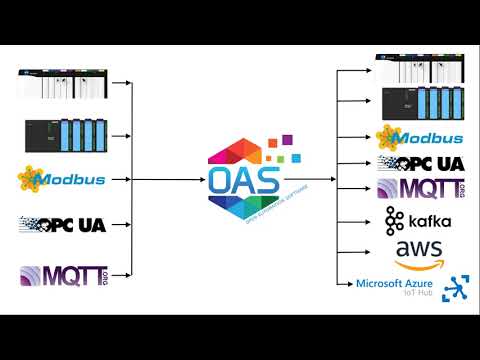
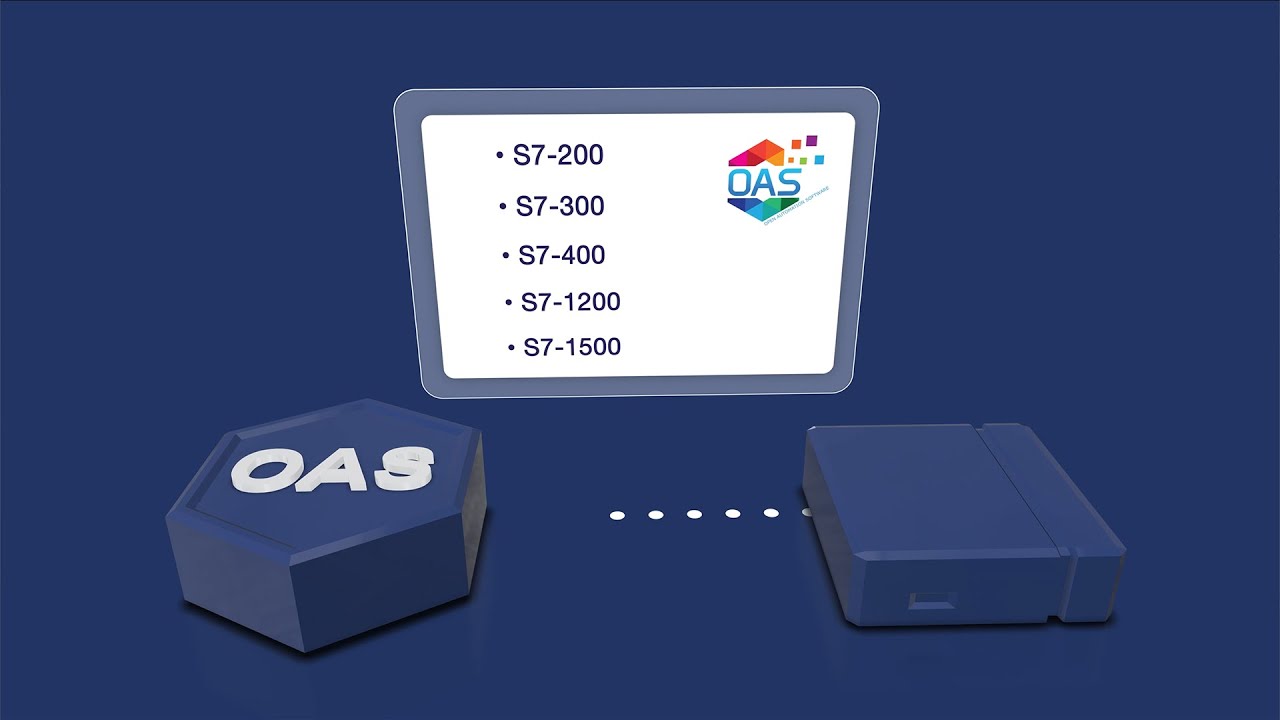
The OAS Siemens IoT Data Connector provides direct connectivity to Siemens controllers through a native Siemens S7 driver and built-in Siemens driver Interfaces. It supports fast, reliable Ethernet communication with S7-200, S7-300, S7-400, S7-1200, and S7-1500 PLCs through a high-performance Siemens OPC server with OPC UA server Siemens support.
With complete integration capabilities and reliable Siemens data acquisition system capabilities, it helps you streamline your automation workflows.
Access Siemens S7 PLC Data with the Siemens OPC server
The OAS Siemens Data Connector is a powerful solution for seamless data transfer to and from Siemens S7 controllers using a native Siemens PLC software. It provides complete bidirectional communication across the OAS platform, making it an ideal Siemens gateway for real-time industrial data integration.
a server-based, highly-scalable, network platform that enables the transport and transformation of your data
Data HistorianAchieve fault-tolerant logging, zero data loss, and multi-destination storage with our high-performance Store and Forward technology.
Visualization ToolsBuild Visualizations, User Interfaces, and server configuration interfaces for .NET, web technologies, native iOS and Android mobile apps
Device & Data ConnectorsThe OAS Platform provides rapid communications and connectivity to a wide variety of PLCs, devices, and databases.
IoT ConnectorsConnect to cloud-base IoT gateways such as AWS, Azure IoT Hub, Azure Event Hubs, Kafka, and more.
Alarm Logging & NotificationCapture events on each data point, log to open formats for historical analysis and archiving, and trigger real time notifications
SDKs & APIsExplore a wide variety of Developer Tools and APIs to allow you to create applications and system integrations to execute in any environment.
Networking FeaturesOpen Automation Software implements edge computing with a Distributed Network Architecture.
Download a fully functional trial of Open Automation SoftwareSiemens OPC Server Features & Benefits
Full Range of Controller Types Supported
OAS supports a wide range of Siemens controllers through native Siemens S7 driver integration. This includes:
S7-200
S7-1200
S7-300
S7-1500
S7-400
This provides optimized performance and simplified setup using familiar Siemens PLC software and Siemens SCADA tools.
Reliability
Adjustable timeouts and automatic recovery processes maintain reliable connections scross the Siemens OPC server. If a network failure occurs, the system automatically switches to a backup controller. These features maximize uptime in Siemens SCADA and Siemens IoT gateway deployments.
Direct I/O, Memory, and Data Block Access
Directly access Inputs, Outputs, Memory Bits, Variable Memory, Counters, Timers, and Data Blocks using absolute addressing through the Siemens PLC driver. This simplifies advanced Siemens PLC applications and custom automation applications.
For the full list, see Siemens Address Syntax
High-Speed Performance
The platform supports high-speed parallel processing with updates as fast as 15 milliseconds. It manages up to 1,000,000 tags per server, delivering the throughput needed for high-performance Siemens HMI software systems.
Data Accuracy
OAS processes data using the first-in, first-out (FIFO) method. This ensures no data is skipped, making it ideal for Siemens IoT gateway, OPC UAserver siemens, and historical SCADA applications.
Common Siemens OPC Server Applications
Logging Data to Databases or CSV Files
Use the OAS Data Historian to log Siemans S7 PLC data into SQL Server, Oracle, MySQL, PostgreSQL, SQLite, and other databases. Configure logging based on data changes, scheduled events, or continuous actions. The system also supports high-speed buffered data logging from reliable historical records. Learn more.
Data Transfer
The Data Route feature transfers data between Siemens S7 controllers and various Industry 4.0 systems. It supports continuous or event-based transfers. The platform also functions as a secure Siemens gateway, enabling smooth communication across your local area network (LAN), wide area network (WAN), or the Internet. Learn more.
User Interface
Create Human Machine Interfaces (HMIs) for Siemens PLC data using the cross-platform UIEngine without coding. It includes drag-and-drop tools and supports Web Trend and Web Alarm support.
OAS supports WinForm HMI, WPF HMI, and Web HMI, as well as programmatic access through the .NET Data Connector and OAS REST API. These options allow you to seamlessly integrate Siemens data with your existing legacy applications. Learn more about the UIEngine
Learn how thousands of customers are using the OAS Product Platform around the globe to achieve truly open industrial automation
24/7/365
Support
Technical support available by phone, chat, and email
30+ Years
Experience
Product efficacy, market testing, and reliability
Used in 10K+
Data Servers
OAS is used in thousands of businesses worldwide
OAS Platform Features
Cross-Platform Support
OAS runs on Windows, Linux, Docker Containers, and low-footprint devices such as a Raspberry PI 4.
Networking
OAS is an edge solution that supports standalone deployments, multi-tenant data aggregation, and even secure unidirectional data transport.
Programmatic Setup
Automate setup using our .NET SDK or REST API. Import and export CSV files for rapid integration with Excel or other third-party tools, simplifying deployment and helping streamline workflows.
Calculations, Time On, Counts, and Totals
Merge data from various controllers and additional data sources while performing real-time computations and logic processing, all without the need for coding. Monitor the duration of activities for specific points and the frequency of their transitions over a defined period. Aggregate analog values both daily and over the entire timeline.
See How We Compare
The initial cost of OAS is far less than our competitors – but the savings don’t stop there. We work with OEMS and System Integrators to provide perpetual licenses with quantity discounts with flexible tag pricing and unlimited client connections.
No Question Left Unanswered
We make getting started with OAS easy - Browse our extensive Knowledge Base of articles on Getting Started as well as How To content that takes you step-by-step through building a solution, and finally learn more about specific features and configurations.
Getting Started - Download, Setup & Support
Step-by-step introduction to using the Open Automation Software platform
An overview of the fundamental configuration steps and a description of commonly used parameters.
Getting Started - Siemens S7 Driver
Follow these essential steps to effectively use the Siemens S7 driver, including the setup of the driver and the configuration of tags.
How to define addresses to access inputs, outputs, memory, and data blocks for various data types.
Related Videos